Lesson 1
Recruit ATS
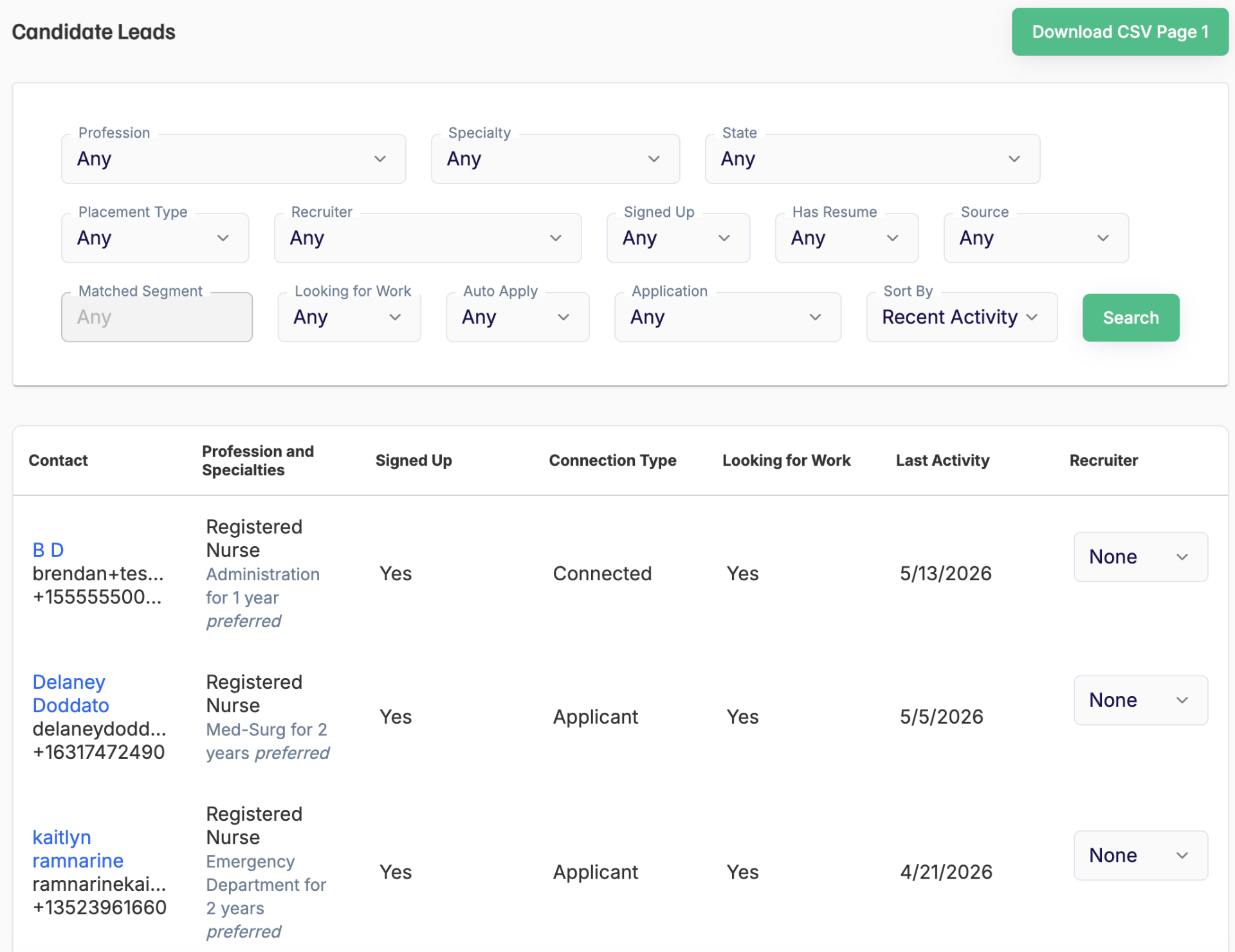
The Recruit page is Adni's internal ATS, where you can track every candidate generated through the platform.
- Assign recruiters to candidates
- View each candidate's full profile, contact info, experience, and documents
- Use advanced filters to find the right talent faster
Lesson 2
In-App Messenger
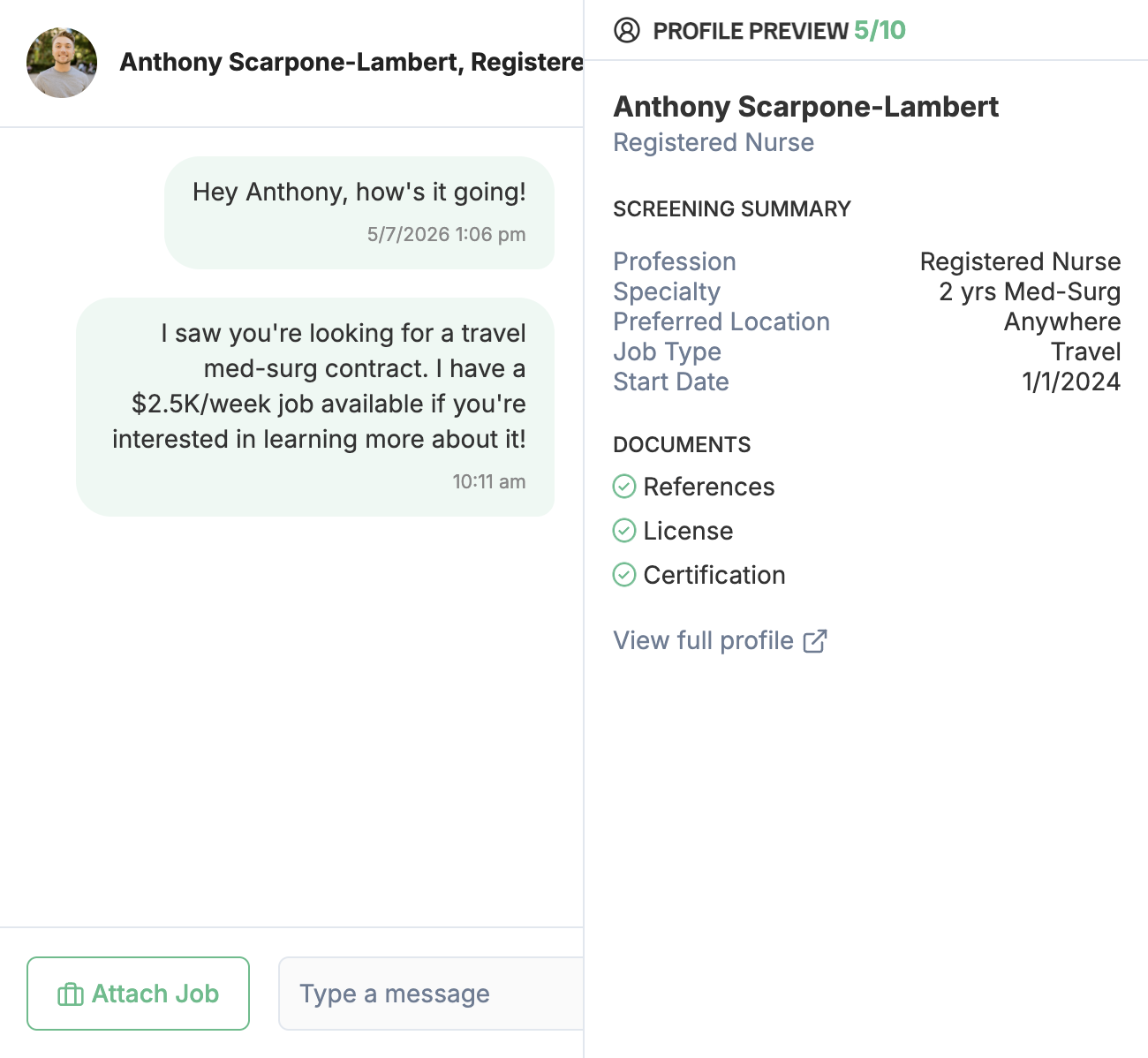
Adni messaging lets recruiters and clinicians communicate directly inside the platform.
- Ongoing recruiter–clinician conversations
- Message clinicians newly connected with your organization
- Warm handoff continuity
- Direct message notifications
- Faster communication workflows
Lesson 3
Notifications
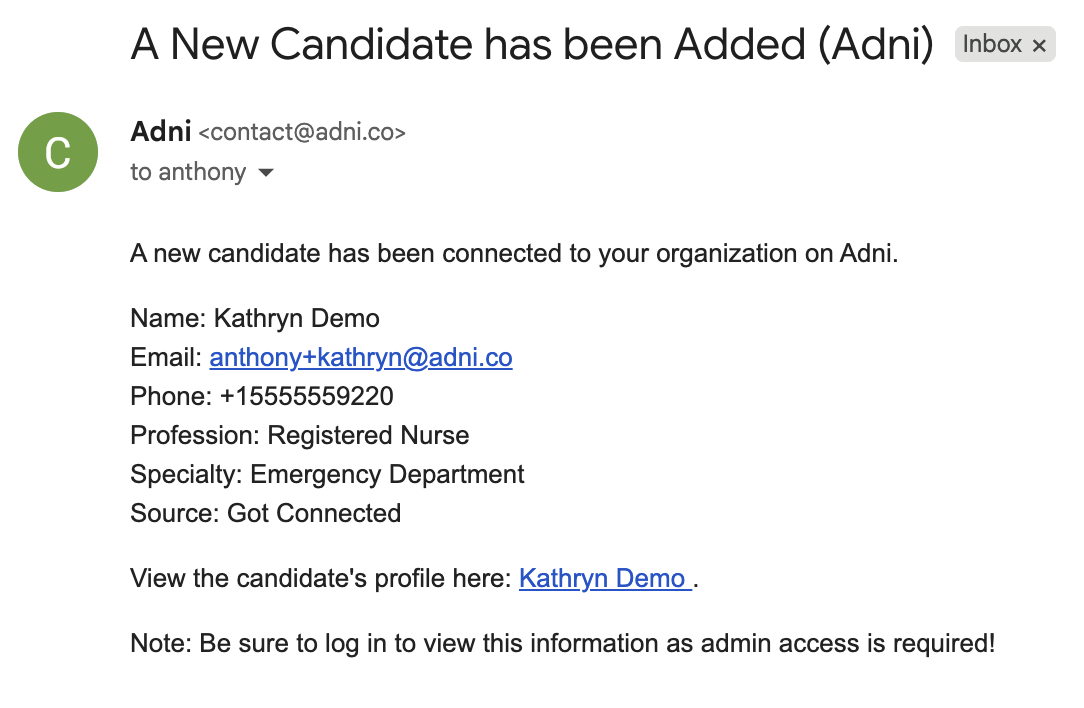
Your organization's designated recruiter contact receives an email alert each time a candidate is generated on Adni — plus a daily summary of completed AI screenings.
- Candidate matches a target lead segment? Assigned recruiters get an email.
- A clinician connects with or messages a specific recruiter? That recruiter gets notified.
- Daily AI screening summary lands in your inbox.
Lesson 4
Recruiter Profiles
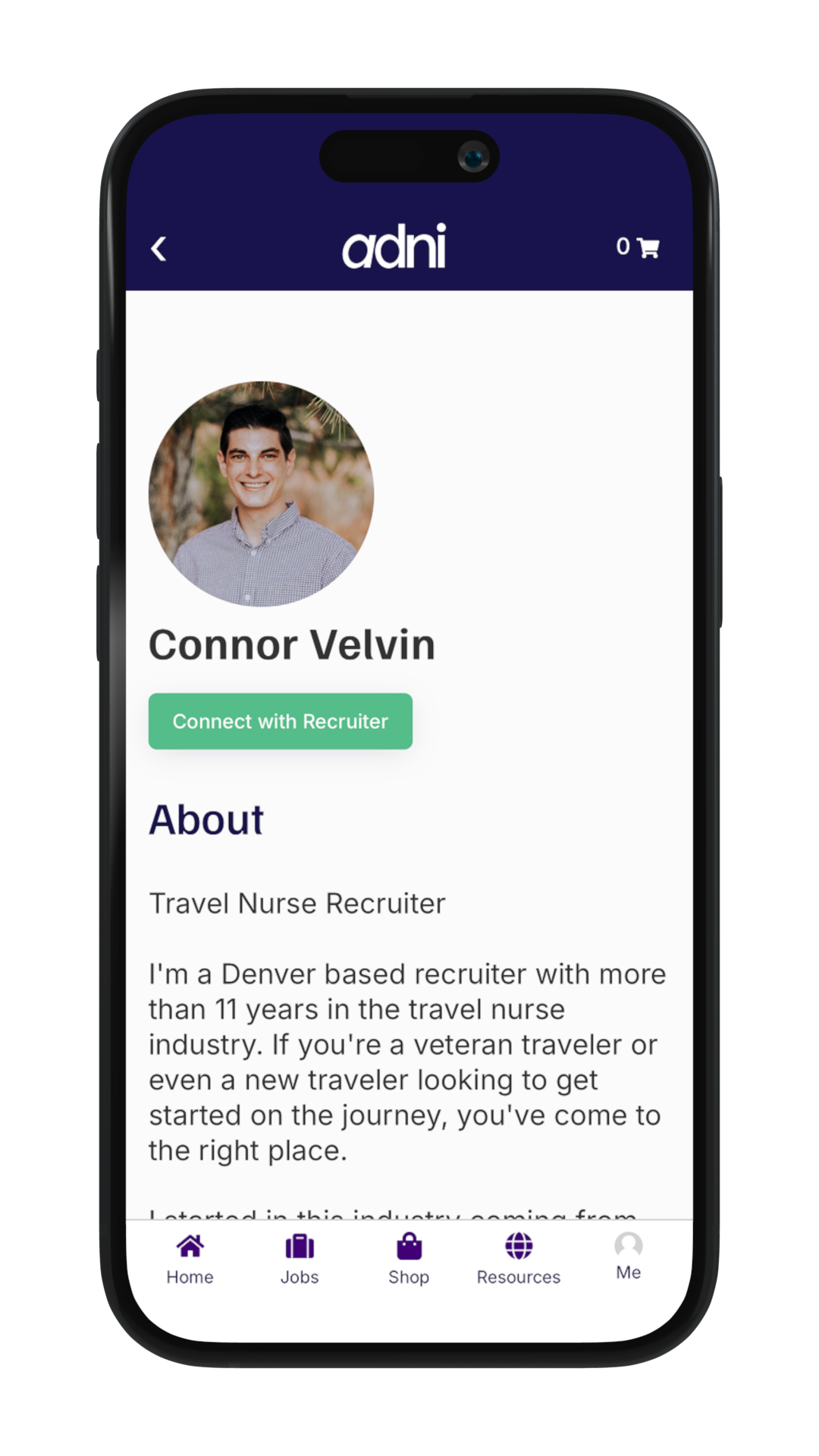
Clinicians can view recruiter profiles during outreach and handoff conversations. We strongly encourage every recruiter to add a profile photo and a short bio.
- Build clinician trust
- Humanize communication
- Increase response rates
- Improve clinician engagement